Thursday, 8 October 2015

Week 2: Freeze Motion

f/stop: 18
Shutter: 1/60
ISO: 400

f/stop: 14
Shutter: 1/100
ISO: 400


f/stop: 8
Shutter: 1/250
ISO: 400


f/stop: 8
Shutter: 1/500
ISO: 400


Task was to freeze motion using the shutter speeds given to us.
Using the different settings that has been allocated i found that using the shutter speed of 1/60, slows down the movement of what has been dropped and to actually freeze the movement of the black pipes that have been dropped, it was best to use 1/500, to actually freeze that movement.


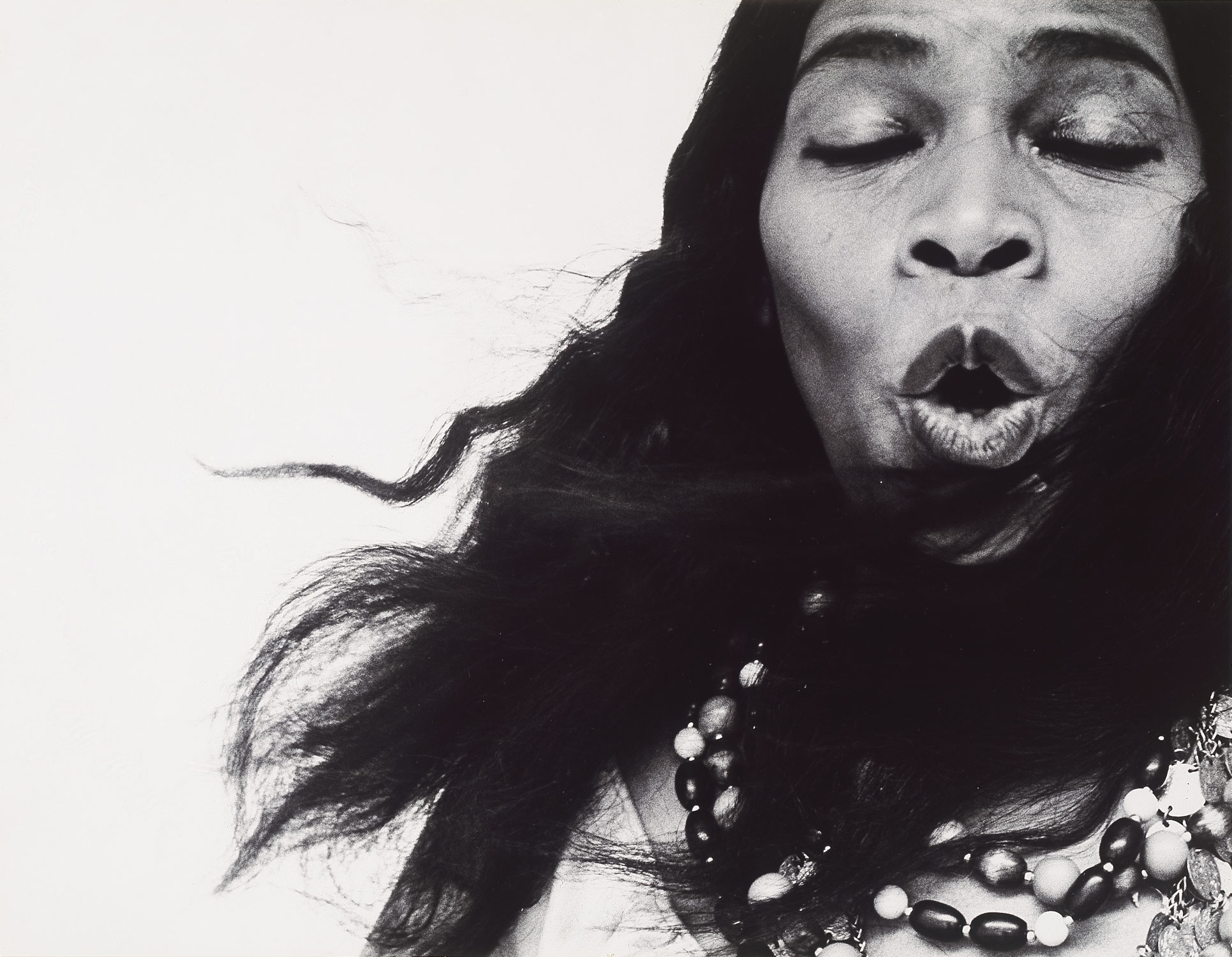
Week 2: Richard Avedon (Shutter Priority)

Original

Remake

Camera settings:
F/stop: 8.0
Shutter speed: 1/80
ISO: 400

I told the subject to stand on the right side of the camera, doing exactly the same facial as the person above. The camera was held a eye level, using the zoom ring to get right to her face.

Photo was taken into photoshop to give the black and white look.


Week 2: Francesca Woodman (S.D)


Camera Settings:
f/stop: 11
shutter: 1/4
ISO: 6400

Francesca Influence, where there is a blur motion in the photo using the "TV" settings on the camera.
I wanted her to keep still with the frame in her hand, but instead she moved her hand, and the only thing that didn't move was around her stomach area.


Monday, 5 October 2015

Week 2: Francesca Woodman - Blur Motion

f / stop : 20.0
shutter : 2.0
ISO : 160

I got the subject to position themself on the left side of the frame, to crouch down and kind of reach over to get the effect of only here body moving and the foot are still.

Original

Response


In this photo, i positioned the subject so she would be looking towards the door. To get the window look that shows in the original photo.

I had used Photoshop to convert this image to black and white.

f/stop: 10.0
Shutter: ''2
ISO: 100

Positioned the subjet in the middle, keeping the camera at an eye level. I told her to move her head from left to right.


Shot in shutter priority mode ( TV Mode)


Week 1: Vanessa Wu (Self Directed)

Original

My Response:
f/stop: 4.0
Shutter: 1/6
ISO:6400

For this photo i like how it looks real simple, but actually doing the task, you just had to watch how much light was needed to bring out the beauty of this little plant. I like how the subject looks like the original one in the photo. 


Original


My response
f/stop: 4
shutter: 1/320
ISO: 400


Inspired by Vanessa Wu, their was no franji-pani to be found around me, so we went local and found this bright red flower. I like how i placed the subject because it looks like the above.

Used the AV mode to shoot this. (Apeture Priority)


Week 1: Narrow and Wide

Camera Settings.
F/stop: 10.0
Shutter: 1/125
ISO: 400
This image shows a Narrow DOF.
Its a narrow depth of field because the background is out of focus and the foreground is in focus.
To improve this picture, i could have took a better one, but i like this, because i caught her facials.

Camera Settings.
F/stop: 22
Shutter: 1/20
ISO: 125
This shows a wide DOF - which means that everything is in focus.


Week 1: Aperture Priority mode

Lee Jefferies

Portrait Shot
Vantage Point: Just above the head
Position: Middle of the Frame
Looking upwards towards the Camera


Subject was placed in the middle of the frame, so we could get the same position as the same photo that we have imulated. In this photo, i have also zoomed up to the subjects face so i can just get her face in focus instead of the background.


REHAHN

Landscape view
Vantage Point: Eye level
Position: Cropping head and bit of shoulder
Looking directly at the camera.


Had quite a few difficulties taking this photo. But this photo only shows the subjects face where her hands are blurred, without realizing that she had used the wrong hand.

Landscape Shot
Vantage Point: Eye Level
Position: Their left (my right) of the frame
Looking directly at the Camera


Positioning for this task took alot of work. Imulating these images just kind of got to me, where i had the subject to try and focus on me and kind of get the exact same position as the photos that are shown.

Reference for photos.